

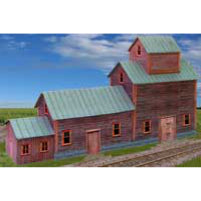
Free Printable HO Scale Model Buildings made with Model Builder Software
Click any button below to download the free building!


"Here is a model I built with your free building. I printed it on drawing paper, glued it to matt board then cut and assembled it using some basswood bracing on the inside.
The coke sign was cut from a coke carton and the other signs were made on my computer.
The chimney is just a rolled up piece of paper glued and painted. The porch roof supports are sections cut from a shish-ka-bob stick and some lichen was used for shrubbery.
Weathering was done with acrylic craft paints. I sprayed it with a clear dull coat to seal everything. It was a lot of fun to do."==John Taylor
Frequently Asked Questions on How to Print and Build this Model Yourself


 image by Carlos Filipe


These 2 by Elliott Domans, see more of Elliott's work in the gallery Have you built this building? Share your pictures, get a coupon!
If you are opening this PDF with another program such as Adobe Elements or Photoshop, be sure to return the DPI to 300 or higher. Click the "Advanced" settings button to check the dpi. Elements default for opening PDF is only 72 dpi. The low dpi setting will result in a blurry image!

We recommend printing the Building Materials on Matte Photo Paper with "best" printer settings for optimal results.
You may also want to run a quick check on your printer to be sure you do not have low or clogged ink by printing a test page on plain paper from your printer's control panel first.
A lot of people ask us what printer we like to use, especially when they see these buildings on display at a show. We favor Epson and HP printers.
The Epson Stylus Photo R260 printer, a great little printer that we use a lot can usually be purchased New for $20 - $60 USD on Ebay
Epson now has Claria Ink which is "99 year archival, fade, smudge and scratch resistant" available for this printer.
Many other models also work just fine!
Building Ideas
Model Builder comes with a Project Idea Booklet as well as several building plans. Monthly Train Magazines are a great place to find building ideas as there are often articles that are complete with building dimensions. Check out catalogs like Walther's for pictures of buildings also.
Here is an example of building from a Magazine Photograph View our video to see how we create buildings on the designs screen "from scratch".
EvanDesignsModelBuilder.com
You will need Adobe, a PDF Reader to open these files. Adobe Reader is free.
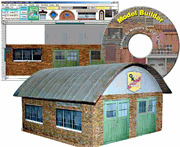
Already have Model Builder?
Download the mb4 file that we built for this building and you can:- re-scale
- swap out windows/doors/siding
- and change all you want to make this building unique for your Layout!
Or visit our Model Builder Sharing website to find 250+ more buildings you can open with Model Builder.
Model Builder User Instructions:- Click on the File Link.
- Choose save when prompted.
- Open Model Builder in your Chosen Scale.
- Choose "File" > "Open..." > and browse to this file.
- Open the file in your scale!

Tell us what you think!
" Gentlemen! Many many thanks for your generous gift of a free building such kindness doesn't happen all that often, and I applaud your generosity. I plan to make as good a job as I can, and will look closely a buying your products !"
== Patrick S.