



Model Builder FAQ
Click any Topic!
How many images are in the program?
Model Builder has over 400 images. Material Catagories inlcude: Siding, Industrial Siding, Metal, Rusty Metal, Wood, Bricks, Block/Stone, Shingles in Asphalt, Wood and Stone, Cement/Stucco. Materials can be "painted" while staying in the chosen scale, cropped, or stretched. Object Catagories include: Windows: Factory, Residential, Miscellaneous, Arched Doors: Residential, Factory, Wood, Arched, Garage. Also Shutters. Objects can be stretched bigger or smaller, many of them can also be seamlessly tiled onscreen. Other Catagories include: Material Trim, Lattice/Grills, Boundary Walls, Storfront, Horizontal Trim, Vertical Trim, Utilities, Water Tower, Building Plans, Trees, Junk, Cornices, Building Extras, and Stairs.
Can I import images from my computer or from web searches?
Yes. You can import images of the type: jpg bmp and gif Watch this video to see how we do it!
You have a lot of programs, which program(s) do I need to buy to make buildings?
Model Builder is the only program you need to buy to create buildings.
Which buildings are included?
The buildings you see in our Gallery were all designed and built by our customers, or by us. You really have thousands of possible buildings that you can make using the 400+ images included with this software.
How does the program work?
See our videos! When you start Model Builder, you select a scale. Supported Scales include Z, N, HO, S, O, OO, G, 1:32 1:72 and 28mm. We even have some 1:285 micro-armor fans. Next you select a material such as brick, siding, or wood and paint it across the design screen. Use the Scale Feet Ruler to determine the building size in your scale. Select windows and doors, which will default to the correct size for your scale. Resize windows and doors as desired, then move them into place using our group duplicate, group align, group distribute and group send to back or front. Add some foundation material and some trim from their palettes. Choose some cornice, trim, "junk" or utilities to add to your building. When you are finished, save the file and print your design.
What Operating Systems?
Model Builder runs on Win7, 8 and 10. Min 1G RAM and min 250MB hard disc space. We are very sorry Mac users, we do not have a Mac version.
Do I need a special printer or paper?
We have a $99 Epson Stylus that works very well for us. We also like the HP models. Any decent color inkjet printer will work fine. We recommend Matte Photo Paper for best image results with these high quality images.
I plan to make a 4 story apartment building/1955 service station/roundhouse/railway depot/building backdrop/grain elevator/...?
Check our Gallery to see what creative things Modelers like you have made with the program. There are a huge number of possibilities of what you can build, and with the image import features, there are even more possibilities.
How many Building Plans are there?
Model Builder has 6 building plans that can be used in any chosen scale. There is a trackside shed, service station, railway station, grain shed, 1/2 quonset service garage and an alley garage. You can also import building plans in .wmf format if you have them. You do not need a building plan to start building with Model Builder. We don't use building plans. Just use the Scale Ruler and the paper tools and start building!
Can I get more building plans?
Yes, Scalemodelplans.com has plans that import directly into Model Builder for even more building ideas. Have a look at what Tom has in store!

How do I get started?
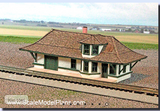
Besides a user's manual, Model Builder comes with a Project Idea booklet. The booklet shows how we make a quonset, two different industrial buildings, a backdrop, and a service station. There is also chipboard building tutorial on the CD. View the Building a Chipboard Building We also have a sharing website where you can download ready-made buildings that others have made already
Are there Reviews/Customer Comments?
See the most recent magazine review from O scale Trains. Also check out the Evan Designs Model Buider forum to see what users are saying about the software.